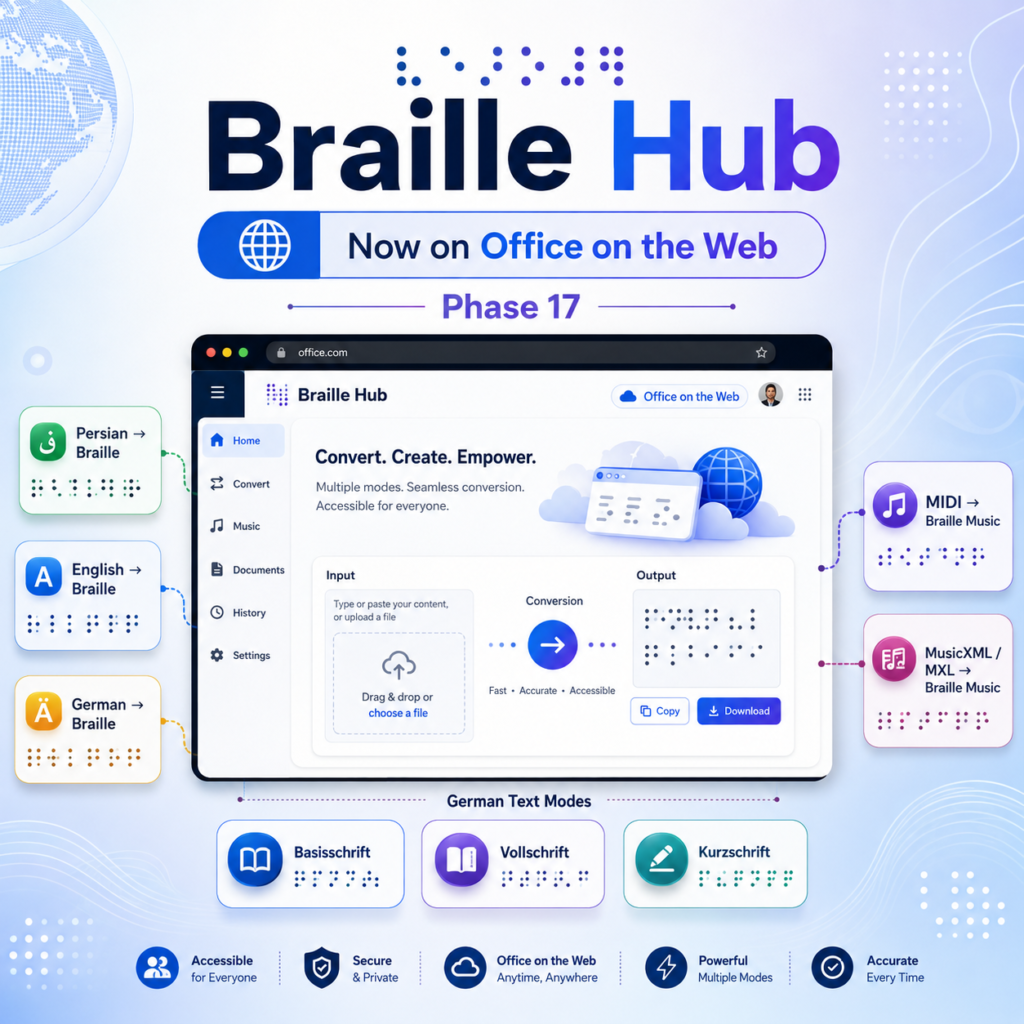
Phase 17 of Braille Hub focused on one specific goal: making the existing Microsoft 365 integration available in Office on the Web without creating a separate translation stack.
At first, this looked like a conventional platform-expansion phase. The desktop add-in was already working in Microsoft Word, Excel and PowerPoint on Windows, so the natural assumption was that a dedicated web implementation would be required next.
The technical review showed something different.
Braille Hub had already been structured around the Microsoft Office Add-in model: an Office.js host layer, a web-based task pane, a public SDK, and a platform-independent translation Core. Because the Office integration does not contain the actual Braille rules, the same translation engine can be reused by different Office hosts.
As a result, Phase 17 became primarily a validation and closure phase rather than a rewrite.
One translation engine, multiple Office hosts
The central architectural rule of Braille Hub is that Microsoft Office must remain a thin integration layer.
The Office host is responsible for tasks such as:
- reading the current selection,
- identifying the active Office application,
- presenting the task-pane interface,
- sending the selected text or file data to the SDK,
- and writing the resulting Braille output back to the document when supported.
The translation semantics remain outside the host.
In practical terms, the processing path remains:
Microsoft 365 host → Braille Hub SDK → Core / Music engine → Braille output
This is the same model used by the desktop integration, and it is also suitable for Office on the Web.
There is no separate “web Braille engine” and no second implementation of the language rules. This is important because duplicated translation logic would create two independent sources of truth and would eventually lead to behavioral differences between desktop and web.
Phase 17 confirms the opposite: the web host reuses the same SDK and the same Core.
Persian text to Braille on the Web
Persian remains one of the first-class text workflows in Braille Hub.
The web integration can send Persian text selected in Microsoft 365 to the same public SDK used by the desktop version. Normalization, structural handling, Unicode processing and Braille serialization continue to be owned by the platform-independent translation layer.
The Office host does not implement Persian rules itself. It only transports the source text to the SDK and renders the returned Braille result.
This means that Persian translation behavior is not forked between desktop and web.
English text to Braille on the Web
The same architecture applies to English text.
English content can be processed through the shared Braille Hub translation path without introducing host-specific rules in Word, Excel or PowerPoint.
From the user's perspective, the important change in Phase 17 is not a new translation system but a new execution environment: the same Braille workflow can now be used from Microsoft 365 in the browser.
German Braille on the Web
German support is also available through the shared SDK/Core architecture.
Braille Hub supports the three German text levels implemented by the project:
- Basisschrift
- Vollschrift
- Kurzschrift
Regional behavior is also preserved for:
- Germany
- Austria
- Switzerland
The web host does not reinterpret these rules. Regional configuration and German Braille semantics stay in the shared translation layer, exactly where they belong.
This is especially important for German because language level and regional configuration are separate concerns. The browser integration only exposes the required choices and forwards them to the SDK.
MIDI to Braille Music
Braille Hub is not limited to literary text.
The Microsoft 365 integration also includes Braille Music workflows. MIDI files can be read as binary input and passed through the public music translation API.
The MIDI pipeline remains the same shared pipeline used by the existing implementation:
MIDI bytes → semantic music model → Braille Music engine → Unicode Braille
The browser-facing Office layer does not contain notation rules or Braille Music rules. It only handles the file input, user interaction and Office document integration.
This preserves the architecture established for Braille Music and makes the feature portable across Office hosts.
MusicXML and MXL to Braille Music
Phase 16 introduced the MusicXML compatibility profile, including support for MusicXML and compressed MXL containers.
Phase 17 brings that capability into the Office on the Web validation scope.
MusicXML and MXL files can use the same public SDK route as the desktop integration. The hardened MusicXML/MXL parser and the existing Braille Music engine remain outside the Office host.
This means that the browser integration does not need a second MusicXML implementation.
The same source semantics, fail-closed behavior, validation rules and Braille Music serialization are reused in the web environment.
Word, Excel and PowerPoint
The Microsoft 365 integration is designed around host adapters.
Each Office application has different document APIs and different editing capabilities, so Braille Hub keeps those differences at the integration boundary.
Word can support richer insertion and replacement workflows.
Excel uses its own range and cell-selection model.
PowerPoint uses presentation-specific text selection and replacement APIs.
Despite those differences, all three hosts ultimately delegate translation to the same public Braille Hub SDK.
That separation is what made Phase 17 relatively small in terms of production changes.
Why Phase 17 did not require a separate rewrite
The key discovery of Phase 17 was that “desktop add-in” and “web add-in” did not need to become two independent products.
The existing Microsoft 365 implementation was already based on technologies designed for cross-host Office Add-ins:
- Office.js
- HTML
- TypeScript / JavaScript
- static web assets
- a browser-compatible dependency chain
- HTTPS delivery
- a host-independent SDK
- a platform-independent Core
Because of this, the correct engineering decision was not to create another codebase.
Instead, the phase concentrated on verification.
The current post-Phase-16 baseline was rebuilt and tested again. Core generation, music regression tests, SDK tests, Microsoft 365 tests, type checking, the static add-in build, host requirement boundaries, German regional paths, MIDI paths and MusicXML/MXL paths were all validated.
The result was that no production rewrite was required for Phase 17.
Validation result
Phase 17 closed with the following technical state:
- Core build: PASS
- Music regression: 224 / 224 PASS
- SDK regression: 51 / 51 PASS
- Microsoft 365 regression: 111 / 111 PASS
- Microsoft 365 static add-in build: PASS
- Word API boundary validation: PASS
- Excel API boundary validation: PASS
- PowerPoint API boundary validation: PASS
- Browser dependency closure: PASS
- Office.js delivery through the Microsoft CDN: validated
- Separate production implementation for Office on the Web: not required
The web behavior had also been manually verified through the HTTPS-hosted add-in setup.
What Phase 17 means for Braille Hub
The most important result of this phase is architectural rather than visual.
Braille Hub can now treat Microsoft 365 desktop and Microsoft 365 on the Web as two hosts of the same accessibility platform instead of two separate products.
The translation capabilities available through this shared architecture include:
- Persian text to Braille
- English text to Braille
- German text to Braille
- German Basisschrift
- German Vollschrift
- German Kurzschrift
- German regional behavior for Germany, Austria and Switzerland
- MIDI to Braille Music
- MusicXML to Braille Music
- MXL to Braille Music
All of these remain behind the same SDK and Core boundaries.
That is the outcome I wanted from Phase 17: not another duplicated implementation, but confirmation that the architecture is portable enough to move from desktop Office to Office on the Web while keeping one translation engine and one source of truth.
Phase 17 is therefore complete.
Braille Hub now has a validated Microsoft 365 Web path for text and music Braille workflows, while preserving the same Core and SDK architecture used by the desktop integration.